Design
Client Workflow for SVG Design: Brief to Prompt to Final Deliverables
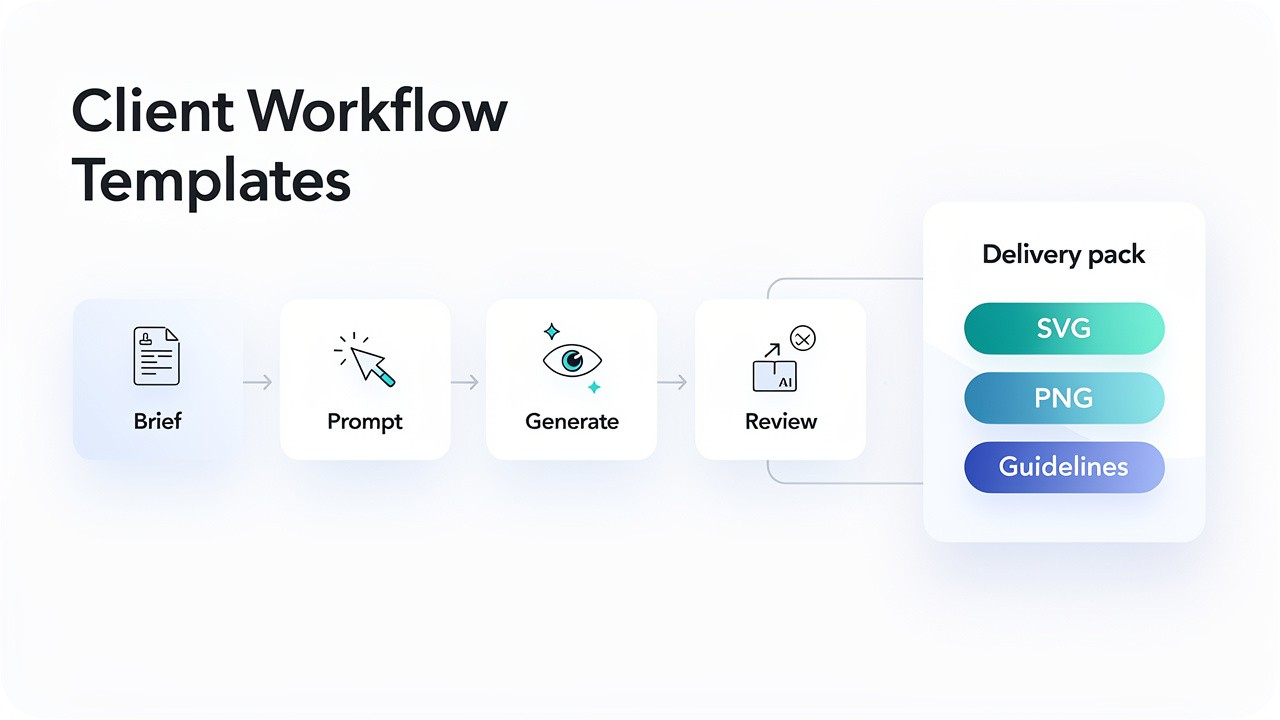
For designers and agencies, integrating AI into a professional client workflow requires more than just technical skill—it demands a structured process. The journey from a client's vague idea to a perfect, delivered SVG asset hinges on one critical document: a well-crafted design brief template SVG. This guide provides a complete, templated workflow to transform client conversations into precise AI prompts and final deliverables, ensuring efficiency, clarity, and professional results every time.
Why a Structured Workflow is Essential for AI-Assisted Design
Unlike traditional design where you start with a blank canvas, AI-assisted design begins with a textual blueprint: the prompt. A vague client request ("make it pop") leads to wasted time, credits, and frustration. A structured workflow centered on a solid design brief template SVG solves this by:
Converting subjectivity into specificity: Translating "modern" into concrete style references.
Creating an audit trail: Documenting decisions and iterations for client review.
Maximizing AI efficiency: Ensuring every generation credit moves the project forward.
Demonstrating professionalism: Showing clients a clear, modern process from start to finish.
Phase 1: The Strategic Brief (Capturing Client Vision)
The foundation of a successful project is a comprehensive brief. Use this design brief template SVG section in your client questionnaire or kickoff meeting.
AI-Assisted Design Brief Template
Project: [e.g., Primary Logo, Icon Set, Marketing Illustration]
Client / Brand Name: [Insert Here]
1. Core Purpose & Message:
What is the primary goal of this graphic? (e.g., "Communicate trust and innovation," "Serve as an intuitive UI button")
What action or feeling should it inspire in the viewer?
2. Target Audience:
Describe the primary end-user in 2-3 key demographics or psychographics.
3. Stylistic Direction (The Visual Blueprint):
Industry References: Name 2-3 competitors or brands whose visual style you admire or dislike.
Mood/Adjectives: Choose 3-5 from: Modern, Classic, Playful, Serious, Luxe, Minimalist, Organic, Tech, Handmade, Bold, Subtle.
AI Style Keywords: Based on our library of 50+ AI SVG styles, any initial preferences? (e.g., Line Art, Gradient Outline, Flat Icon, Watercolor Vector).
4. Technical Specifications (The "Must-Haves"):
Color Palette: Provide primary brand colors (Hex codes preferred).
Imagery & Symbols: List any required elements (e.g., "must include a mountain symbol," "abstract shape only, no literal objects").
Format & Usage: Where will this be used? (e.g., Website header, mobile app icon, printed t-shirt). This determines complexity and scalability needs, leveraging the top benefits of SVG images.
5. Practical Constraints:
Timeline: Expected first draft and final delivery date.
Deliverables: Number of concepts, revision rounds, and final file formats (e.g., SVG, PNG, PDF).
Phase 2: The Creative Translation (Brief → Master Prompt)
This is where your expertise turns the brief into a language the AI understands. A strong prompt has a clear structure.
Prompt Formula for AI SVG Generation:
[SUBJECT] in the style of [STYLE], [COMPOSITION DETAILS]. [COLOR PALETTE]. [TECHNICAL SPECS].
Example Translation from a Completed Design Brief Template SVG:
Brief Inputs:
Purpose: Logo for a new, premium coffee roastery called "Summit Roasters."
Audience: Urban professionals (25-45).
Style: Modern, minimalist, organic. Likes clean line art.
Colors: #3E2723 (Dark Brown), #A1887F (Light Taupe), #FFFFFF (White).
Symbols: Must incorporate a mountain peak and a coffee bean.
Crafted Master Prompt:
A minimalist line art logo combining a single mountain peak with a coffee bean shape, symmetrical, clean continuous lines. Color palette: #3E2723 and #A1887F on a white background. --style line_art
This structured approach is the key to turning ideas into perfected, scalable SVGs.
Phase 3: Generation & Iteration (Using the SVGverseAI Platform)
Platform Setup: Log into your SVGverseAI Pro account to ensure private generation for client confidentiality. Select the appropriate style tag (e.g.,
--style line_art) as defined in your prompt.Generate First Concepts: Run your master prompt. Generate 2-3 variants immediately to give the client visual options.
Client Review & Feedback: Present the concepts. Crucially, ask for specific, prompt-actionable feedback. Avoid "make it better"; ask "Should the lines be thicker or the mountain more prominent?"
Refine with Iterative Prompts: Use feedback to create new, adjusted prompts.
Client says: "The mountain needs to feel more dominant."
Your Iteration:
...a dominant mountain peak over a subtle coffee bean shape...Client says: "Can we see a version with a circular badge layout?"
Your Iteration:
...inside a thin circular badge frame...
Phase 4: Professional Delivery & Asset Handoff
The final delivery cements the professional relationship. Don't just send an SVG file.
Client Delivery Package Template:
Subject: Delivery: Final SVG Assets for [Project Name]
Body:
Hi [Client Name],
Attached please find the final vector assets for the [Project Name], completed per our brief.
Included in this delivery:
[Brand]_Logo_Final.svg– The primary logo in scalable SVG format.[Brand]_Logo_White-BG.png– A high-resolution PNG version for standard use.[Brand]_Logo_Dark-BG.png– An inverted version for dark backgrounds.Style & Usage Guide.pdf – A simple one-pager noting the primary color hex codes and minimum clearspace.
These files are ready for web and print use. The SVG format ensures they will remain crisp at any size.
As a reminder, you hold full commercial rights to these final deliverables. Please let me know if you need any other formats for specific platforms.
Best,
[Your Name/Studio]
Optimizing Your Workflow: Pro Tips
Build a Brief Library: Save past successful design brief template SVG documents. Over time, you'll identify patterns for different industries (e.g., tech logos vs. bakery illustrations).
Batch Icon Generation: For projects requiring an icon set, use a single design brief template SVG for the set, then create a prompt template:
A [subject] icon in [style], using colors [palette]. Part of a consistent set.Leverage the Community: If stuck on translating a style, explore the SVGverseAI community for inspiration on how others might phrase similar concepts.
By adopting this brief → prompt → delivery framework, you move from being an AI experimenter to an AI-augmented professional. The design brief template SVG becomes your most important tool, ensuring that client collaboration is smooth, expectations are managed, and the incredible power of the AI SVG Generator for branding assets is directed with precision.
Ready to implement a professional AI design workflow?Start your next project with SVGverseAI Pro, equipped with private generation and commercial rights. Use the provided design brief template SVG to capture your client's vision and translate it into stunning results. Explore our agency-friendly pricing to scale your creative delivery.