Design
Ecommerce Badge Pack: Create Sale, Free Shipping, Best Seller SVG Badges
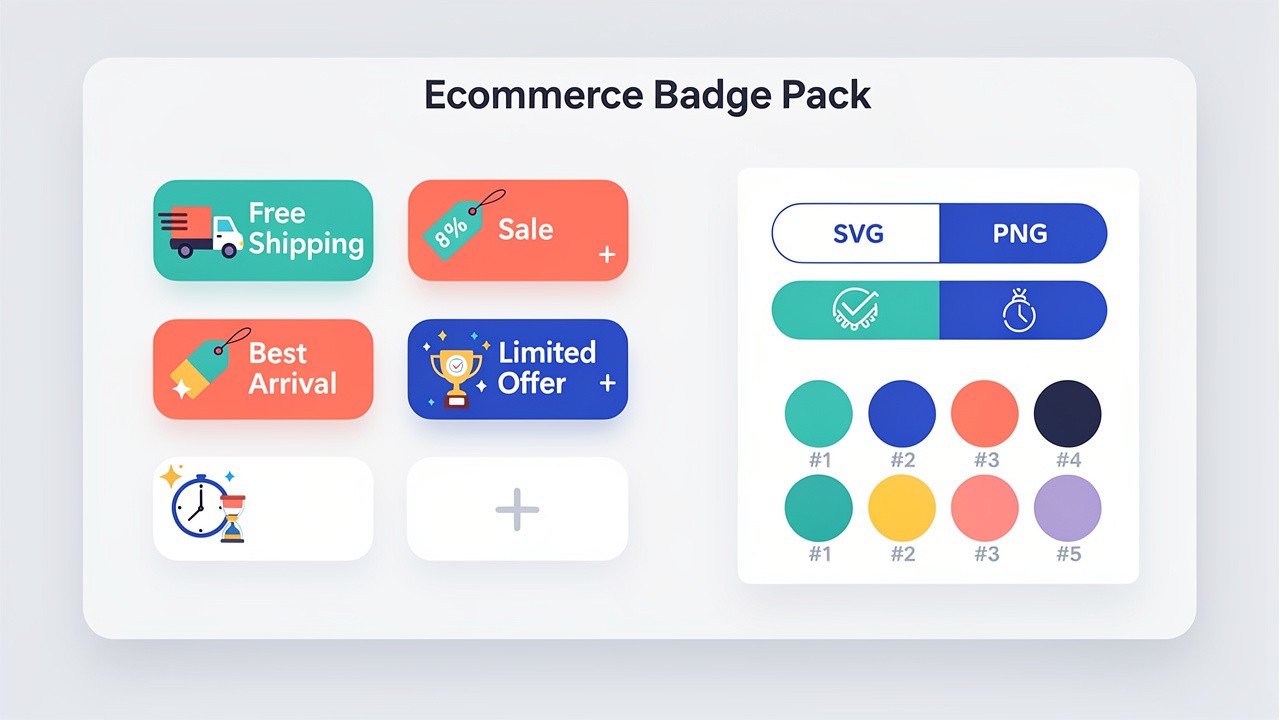
In competitive online retail, visual elements that capture attention and drive purchases are essential. Professionally designed ecommerce badges SVG graphics—like "Free Shipping," "Sale," and "Best Seller"—can significantly boost click-through and conversion rates. This complete guide provides you with actionable strategies for using and creating high-impact ecommerce badge SVG designs using AI, ensuring your store stands out with professional, conversion-optimized visual elements.
Why SVG Badges Are Essential for Modern Ecommerce
When it comes to ecommerce badges, the SVG format provides clear advantages over traditional image files like PNG or JPG. These SVG ecommerce badges remain perfectly sharp on any screen, from mobile devices to 4K monitors, because they are made of mathematical vectors, not pixels. They load incredibly fast, which helps your store's overall performance, and their small file size doesn't slow down your pages. Best of all, you can instantly change their colors with a simple line of CSS to match different sales campaigns, seasons, or product lines without needing to create new files. This flexibility makes ecommerce badges SVG assets a powerful tool for creating high-impact visuals that adapt to your marketing needs.
The Essential Ecommerce Badges SVG Kit
Every online store needs a core set of badges. Here are the key types you should implement, along with guidance on how to use them effectively.
1. The "Free Shipping" Badge
This badge reduces purchase hesitation. The most effective designs often use a ribbon or ticket shape with a simple truck icon. A gradient from blue to purple conveys reliability and value. Place this badge prominently on product pages and in shopping carts where shipping costs are a key consideration for buyers.
2. The "Sale" Badge
The classic sale badge creates urgency. Circular badges with a bold burst or flare effect work best, typically in attention-grabbing red. Including text like "50% OFF" or "FLASH SALE" strengthens the call to action. Use this badge on product images, category pages, and next to original prices to highlight discounts.
3. The "Best Seller" Badge
This badge builds social proof and trust. Designs often incorporate premium elements like crown shapes, stars, or medal silhouettes with gold gradients. It signals to customers that other people love this product. Apply this badge to your top-converting items across all categories.
4. Additional High-Value Badges
"New Arrival": Use fresh colors like green and white with leaf or star accents to highlight recent additions.
"Limited Edition": Implement luxury metallic colors (gold, silver) for exclusive or seasonal products.
"Almost Gone": Create urgency with orange/red color schemes and simple countdown visuals for low-stock items.
How to Create Custom Ecommerce Badges SVG with AI
While templates are useful, custom badges that match your exact brand aesthetic are more effective. Using SVGverseAI's AI SVG Generator, you can create unique, brand-perfect badges in seconds. This approach is perfect for building a cohesive branding asset library.
AI Prompt Formula for Perfect Badges
Use this structure for reliable results: "[Badge Text]** ecommerce badge, [Shape Description], [Color Palette], [Style Keywords], vector SVG graphic"
Effective Prompt Examples:
For a Summer Sale badge:
"Summer Sale ecommerce badge, wavy ribbon shape, tropical sunset colors (orange, pink, yellow), fun and vibrant, vector SVG"For an Exclusive badge:
"Exclusive badge, diamond-shaped frame, black and gold luxury colors, sophisticated and premium, vector SVG"For a Last Chance badge:
"Last Chance banner badge, torn parchment style, deep red and black colors, urgent and dramatic, vector SVG"
Batch Creation Strategy
For stores needing multiple coordinated badges, use a consistent prompt template. For example, keep the same shape and style but change only the text and primary color: "[PROMOTION_TEXT] badge, shield shape, [PRIMARY_COLOR] and white, clean modern lines, vector SVG". Generate badges for "Flash Sale," "Editor's Pick," and "Free Returns" all at once for a perfectly matched set.
Implementing Your Ecommerce Badges SVG for Maximum Impact
Strategic Placement Guidelines
Position matters more than design. Follow these placement rules:
Product Card Badges: Place in the top-left or top-right corner, never covering the product image's key details.
Product Page Badges: Position near the price display or the "Add to Cart" button where purchase decisions are finalized.
Category Page Badges: Use on featured items or filterable "On Sale" sections to guide browsing.
Site-Wide Badges: Place a key promotion badge in your website header for store-wide campaigns like "Free Shipping Over $50."
Performance & Accessibility Best Practices
Even small images affect user experience. Always optimize your ecommerce badges SVG files by ensuring the AI generator or your design software exports clean, minimal code. Implement "lazy loading" so badges further down the page don't slow initial page load. Most importantly, make badges accessible: use hidden HTML text that screen readers can announce (like "Product has Free Shipping badge") so all customers understand the visual cue.
Customization and Adaptation Workflow
Your badges should evolve with your campaigns. With ecommerce badges SVG, customization is simple:
Color Changes: Modify a single CSS variable to recolor all your sale badges from red to green for a "Green Monday" sale.
Animation: Add a subtle CSS pulsating effect or gentle swing animation to highlight a "Flash Sale" badge.
Seasonal Updates: Create a base badge design and use AI to generate seasonal variants (add snowflakes for winter, flowers for spring).
Conclusion: Transforming Visual Cues into Conversions
Professional ecommerce badges SVG graphics are more than decoration—they are strategic tools that communicate value, create urgency, and build trust. By implementing the core badges and using AI to generate custom variations, you can create a visual system that guides customers toward purchase decisions while maintaining a fast, professional online store.
Ready to enhance your store's visual appeal? Start creating custom ecommerce badges with SVGverseAI. Generate unique, brand-aligned ecommerce badges SVG that capture attention and drive sales. Explore our pricing plans designed for businesses that need high-quality, scalable visual assets for all their ecommerce applications.