Design
SVGverseAI vs Illustrator Image Trace: Quality, Speed, and Editability Compared
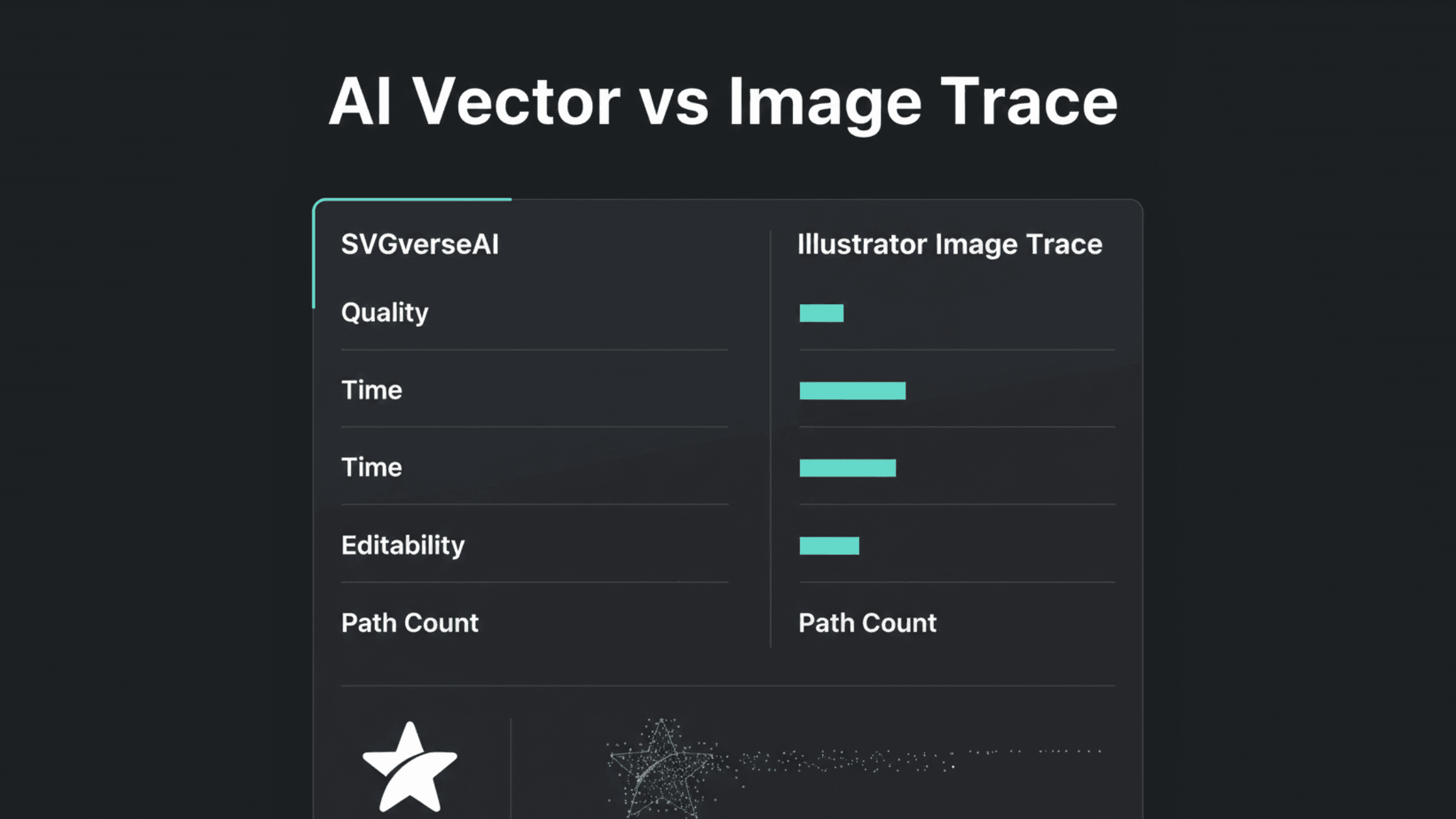
When you need to convert raster images like JPGs or PNGs into scalable vector graphics (SVGs), you face a critical choice: use the traditional Adobe Illustrator Image Trace or a modern AI-powered image trace alternative like SVGverseAI. This decision impacts not just the final output, but your entire workflow efficiency and creative flexibility. Let's break down this comparison across the three most important factors: Quality, Time, and Editability.
The Core Difference: Basic Tracing vs. AI Understanding
The fundamental distinction lies in how each technology "sees" and processes your image.
Adobe Illustrator Image Trace: This is an auto-tracing algorithm. It detects edges and color blocks in your raster image and creates vector paths to approximate them. It's essentially connecting dots based on contrast and color values without understanding what the image actually depicts.
SVGverseAI's AI SVG Generator: This is an intelligent image trace alternative. Powered by advanced AI models, it doesn't just trace; it interprets the content of your image. It understands subjects, objects, textures, and artistic intent, reconstructing them with clean, logical, and editable vector shapes.
This core difference drives every outcome in our comparison, making SVGverseAI a superior image trace alternative for most modern design needs. For a deeper dive into why AI surpasses basic auto-tracing, see our analysis: AI SVG vs. Online Converters: Why AI is Superior to Auto-Tracing.
Head-to-Head Comparison: Quality, Time & Editability
1. Output Quality & Fidelity
Scenario | Illustrator Image Trace Result | SVGverseAI Result |
Complex Photo | Often creates thousands of messy, overlapping paths trying to capture every detail. Output looks "blobby" or noisy. | Intelligently simplifies and stylizes, creating a cleaner, more graphic vector interpretation with coherent shapes. |
Logo or Graphic | Can work well for simple, high-contrast logos but may produce jagged edges or miss subtle details. | Recreates logos with precise, smooth curves and sharp edges, often improving on the original's clarity. |
Hand-Drawn Sketch | Traces every stray pencil mark and paper texture as a separate path, requiring heavy cleanup. | Understands the main sketch lines, producing clean, editable strokes that capture the artist's intent without the noise. |
Text in an Image | May trace text as a clump of shapes, rendering it uneditable and sometimes unreadable at small sizes. | Often recognizes and reconstructs text as editable vector text objects or exceptionally clean letterform shapes. |
Verdict: For anything beyond a simple silhouette, SVGverseAI provides superior quality as an image trace alternative, delivering cleaner, more usable, and artistically coherent vector graphics.
2. Time & Workflow Efficiency
This is where the modern image trace alternative truly shines.
Illustrator Image Trace Workflow:
Open image in Illustrator.
Select and open the Image Trace panel.
Manually test multiple presets (e.g., "Black and White Logo," "Sketched Art").
Tweak advanced sliders (Paths, Corners, Noise) iteratively to find a decent result.
Click "Expand" to create paths, then spend significant time using the Direct Selection tool to delete background junk, merge stray paths, and smooth edges.
Total Time: 5 to 30+ minutes of manual, technical work.
SVGverseAI Workflow:
Drag and drop your image onto the SVGverseAI platform.
The AI processes it automatically.
Download the clean, ready-to-use SVG file.
Total Time: Approximately 30 seconds. The AI handles the complex interpretation and cleanup automatically.
Verdict: SVGverseAI offers a dramatic time-saving advantage, reducing a technical, minutes-long process to a few clicks. This efficiency is a core part of the top benefits of using SVG images in a modern workflow.
3. Editability & Creative Control
A vector file's true value lies in how easily you can edit it after creation.
Illustrator Image Trace Output: The vector paths are often a chaotic "spaghetti" of hundreds or thousands of tiny, disconnected shapes and compound paths. Changing a color or modifying a shape requires tedious, surgical pathfinder operations and can feel like untangling a knot.
SVGverseAI Output: The AI generates cleaner, more logical, and layered vector structures. Shapes that belong together are more likely to be grouped or defined as coherent paths. This makes subsequent editing in Illustrator, Figma, or any vector editor far more intuitive and less frustrating.
Verdict: As an image trace alternative, SVGverseAI produces vectors that are inherently more editable, granting you greater creative control post-conversion.
When to Choose Which Tool?
Choose Adobe Illustrator Image Trace if:
You are tracing a very simple, high-contrast black and white graphic.
You need 100% manual control over every single anchor point and path from the outset.
You are already deeply skilled with Illustrator's pathfinder and pen tools for cleanup.
Choose SVGverseAI as your image trace alternative if:
You value time and efficiency and need a quick, high-quality result.
Your source image is complex (photo, detailed sketch, gradient logo).
You want a clean, editable output without an hour of manual cleanup.
You are a marketer, developer, or designer looking for a streamlined tool that doesn't require expert-level Illustrator knowledge. This aligns perfectly with the ease of use highlighted in Your First Guide to SVGverseAI.
You are working with multiple images and need to batch-process them with consistent results.
Conclusion: The Modern Choice for Vector Conversion
While Adobe Illustrator's Image Trace is a powerful legacy tool, it represents the old paradigm of auto-tracing—a technical, manual, and often frustrating process. SVGverseAI emerges as the intelligent, modern image trace alternative, leveraging AI to understand images rather than just trace them.
The comparison is clear:
Quality: SVGverseAI delivers cleaner, more artistic, and usable vectors.
Time: SVGverseAI accomplishes in seconds what takes minutes or hours of manual work.
Editability: SVGverseAI outputs logically structured vectors that are easier to modify.
For professionals and businesses seeking to unlock the full benefits of SVG without the traditional hassle, the choice is evident.
Ready to experience the modern alternative? Stop wrestling with sliders and manual cleanup. Try SVGverseAI's intelligent image conversion for free and see how quickly you can turn any image into a professional, editable SVG. Explore our simple, transparent pricing to scale your vector creation workflow.