Design
SVGverseAI vs Inkscape Trace Bitmap: Which Makes Cleaner SVGs?
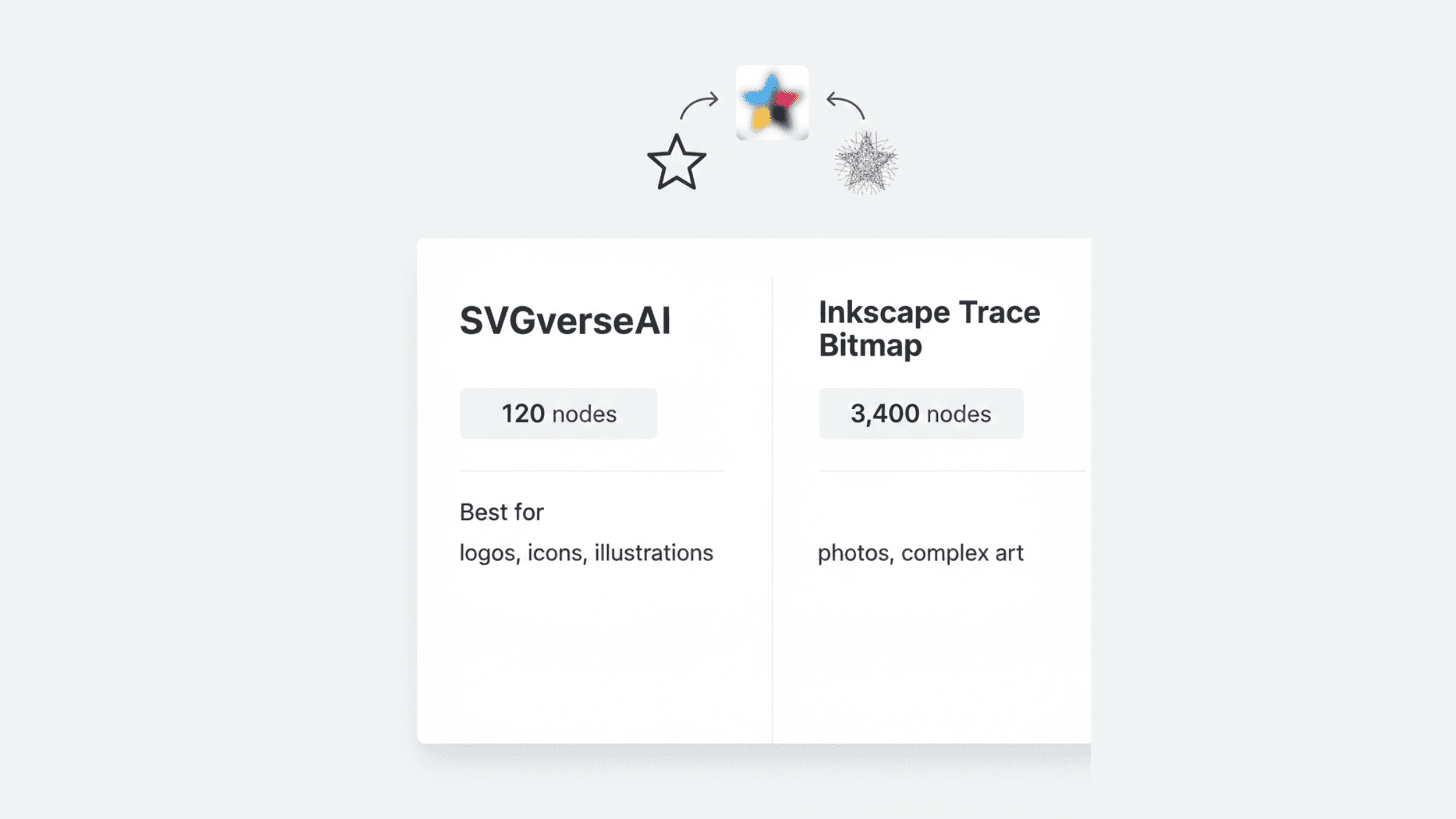
When you need to convert raster images like JPGs or PNGs into clean, scalable vector graphics (SVGs), you have two powerful paths: using the manual Trace Bitmap function in free software like Inkscape, or leveraging an intelligent AI-powered platform like SVGverseAI. While both can create
vector paths, they represent fundamentally different approaches—one offering granular manual control, the other providing intelligent interpretation. This guide will help you understand the distinct strengths of each method, so you can choose the right tool for your specific project, whether it demands detailed trace bitmap adjustments or fast, creative generation.
Core Philosophy: Manual Tracing vs. Intelligent Creation
The difference starts with how each tool "sees" your image:
Inkscape Trace Bitmap (Algorithmic Pathfinding): This is a classic, mathematical auto-tracing function. It analyzes pixels for contrast and color changes, then draws vector paths along those edges. The user manually controls every technical aspect (like brightness thresholds and noise reduction) to guide the algorithm. It is a precise, trace bitmap-focused process for converting existing pixels into paths.
SVGverseAI AI Generator (Context-Aware Interpretation): Instead of just mapping edges, the AI understands the content of an image or text prompt. It identifies subjects, objects, and artistic style to reconstruct them using logical, clean vector shapes. It’s less about a direct trace bitmap conversion and more about intelligent creation and stylization.
Direct Comparison: Key Factors
Factor | Inkscape Trace Bitmap | SVGverseAI AI Generator |
Primary Strength | High-fidelity, manual trace bitmap control for technical conversions. | Fast, intelligent interpretation and creative generation from images or text. |
Ideal Use Case | Converting technical drawings, simple logos, signatures, or high-contrast scans where pixel-perfect replication is needed. | Creating stylized art from photos, generating assets from ideas, converting complex images, and any workflow prioritizing speed. |
Skill & Effort | High. Requires knowledge of tracing settings and significant time for cleanup of complex path results. | Low. Intuitive, automated process that delivers a cleaned-up result in seconds. |
Output Nature | Can become complex "path spaghetti." Faithful to original pixels but often requires manual simplification. | Clean, stylized, and more illustration-like. Optimized for visual appeal and easier editing. |
Creative Scope | Converts what is there. Limited to the input image. | Creates what you describe. Can generate entirely new vector art from a text prompt. |
When Inkscape Trace Bitmap is the Right Choice
Stick with the manual trace bitmap approach in these scenarios:
You Need a Technically Accurate Vectorization: Your source is a clean line drawing, engineering sketch, or black-and-white logo that requires a precise, layer-by-layer trace bitmap conversion.
You Require Total, Granular Control: You are an expert user who needs to manually adjust every single parameter (noise thresholds, edge detection, path smoothing) and don't mind spending time cleaning up the resulting paths.
You are Working with Scanned Documents or Diagrams: The goal is to digitize a physical document into an editable vector format with high fidelity, a classic trace bitmap task.
Your Budget is $0: Inkscape is a powerful, completely free and open-source tool, making it indispensable for hobbyists, students, or projects with no software budget.
When SVGverseAI is the Superior Solution
Choose an intelligent AI platform for modern creative and production workflows:
You Value Speed and Simplicity: You need a finished, usable vector asset quickly, without a technical process. As covered in our guide on AI's superiority to auto-tracing, this is where AI excels.
Your Source is a Complex Image: Converting a photograph, portrait, or detailed artwork via a standard trace bitmap function often yields a chaotic, unusable mess. AI intelligently interprets and stylizes it into a clean graphic.
You Want to Generate New Designs from Ideas: You're not just converting; you're creating. Describe what you want in text (e.g., "a minimalist mountain range logo") and generate it instantly, exploring the full benefits of SVG for modern design.
You Need Clean, Easily Editable Files: AI-generated vectors typically have simpler, more logical path structures than the dense outputs of a detailed trace bitmap, making them far easier to tweak and customize in any vector editor afterward.
You are a Marketer, Developer, or Multi-Tasker: The web-based, user-friendly platform requires no specialized design software knowledge, allowing you to turn prompts into perfect SVGs and integrate assets directly into projects.
Practical Decision Guide
Use this flowchart to decide quickly:
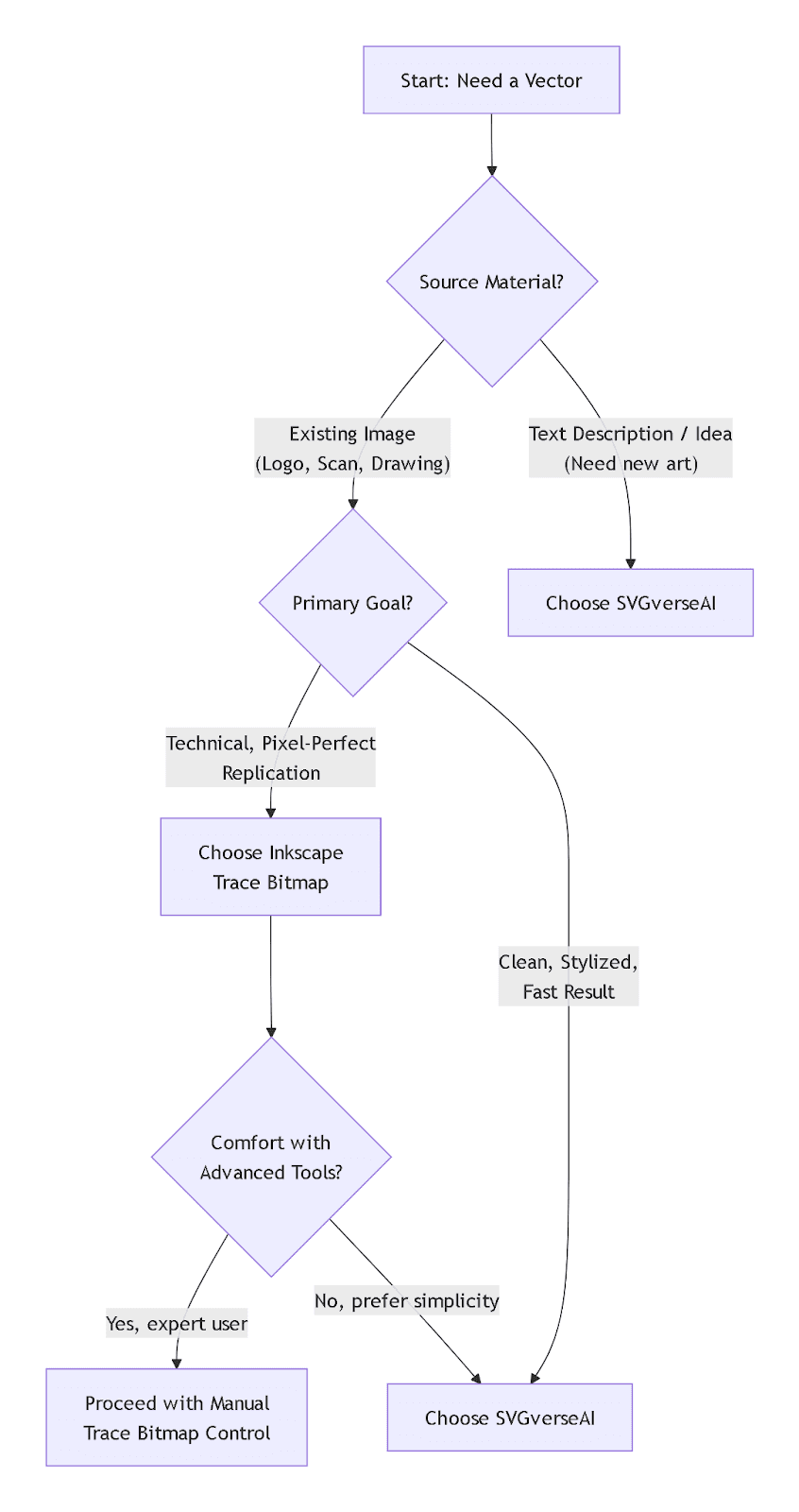
Scenario A: Turning a company's old printed logo into a vector.
Inkscape Path: Scan the logo, use Trace Bitmap, carefully select "Brightness Cutoff" or "Color" mode, and tweak settings to capture all details, then expand and clean up paths.
SVGverseAI Path: Upload the scan. The AI will interpret and output a cleaned, simplified vector logo, often automatically smoothing jagged edges from the scan in the process.
Scenario B: Creating a set of unique icon assets for a website.
Inkscape Path: You would need to draw or find raster icons first, then run each through the trace bitmap process individually.
SVGverseAI Path: Use the AI Generator to create cohesive, style-consistent icons directly from text prompts like "a calendar icon, line art, rounded corners" in seconds.
Conclusion: Matching the Tool to the Task
Inkscape's Trace Bitmap is a specialist's tool—powerful and free for projects requiring meticulous, manual control over the conversion of existing raster graphics. It excels in technical digitization.
SVGverseAI is a generalist's creative platform—ideal for the vast majority of modern design needs where speed, creative interpretation, and ease of use are paramount. It transforms the process from a technical trace bitmap chore into a seamless part of the creative workflow.
For most professionals today—especially those who aren't full-time illustrators—the intelligent, fast, and creative capabilities of an AI-driven platform offer the most practical and powerful solution.
Ready to move beyond manual tracing? Experience the speed and creativity of AI-powered vector generation. Start creating with SVGverseAI for free and see how it complements or transforms your workflow. Explore our simple pricing plans to unlock unlimited potential.