Design
Printable SVG Worksheets: Crisp Lines, No Blur, Print-Ready Exports
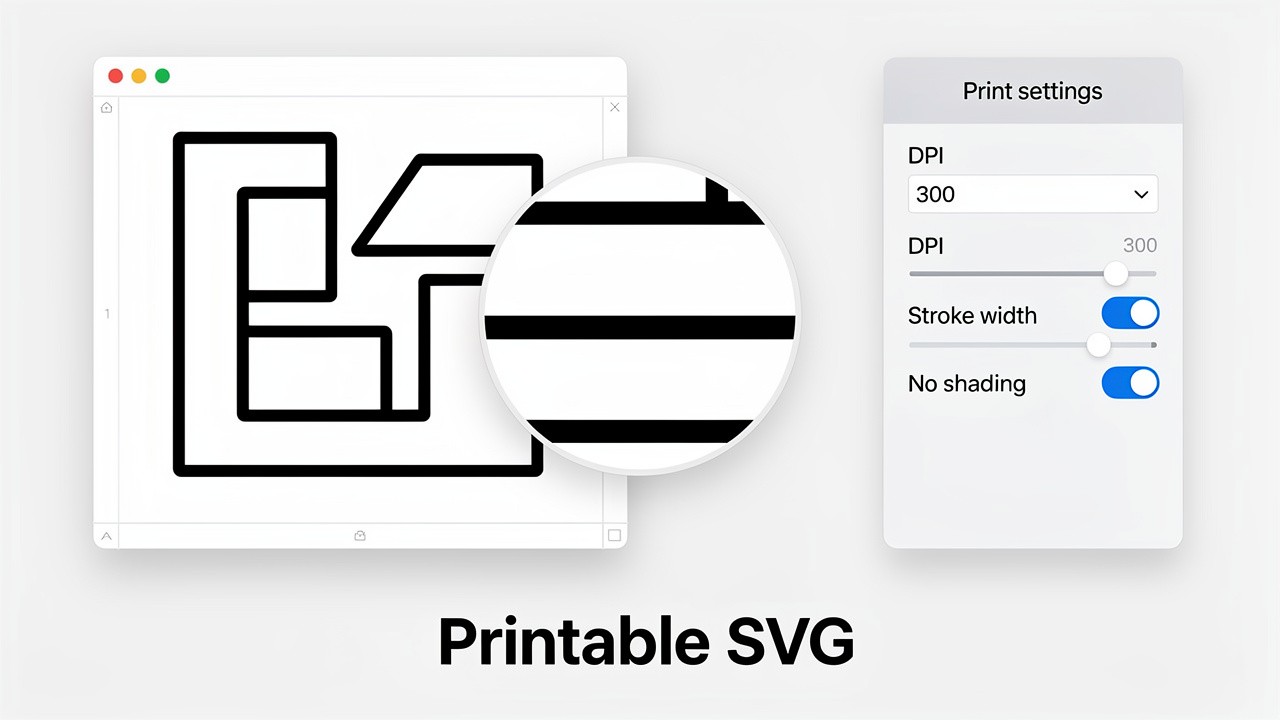
Creating professional-grade printable materials requires precision that standard image formats often can't deliver. Printable SVG worksheets solve this problem by offering infinitely scalable vector graphics that maintain perfect clarity at any size, eliminating blur and ink bleed issues. This guide covers the essential production rules for creating perfect printable SVG files for worksheets, educational materials, and crafts that look sharp whether printed on a home printer or professional press.
Why Printable SVG Files Are Superior for Print Materials
When creating worksheets, coloring pages, or activity sheets, the printable SVG format provides distinct advantages over JPG or PNG:
Infinite Scalability: Enlarge a worksheet section for a poster or reduce it for a mini-booklet without any quality loss—perfect for creating multiple formats from one printable SVG file.
Crisp Lines at Any Size: Unlike pixel-based formats that become blurry when scaled, SVG lines and text remain mathematically precise, ensuring no fuzzy edges on your printable worksheets.
Minimal File Size with Maximum Quality: Complex coloring pages with hundreds of shapes maintain small file sizes while containing far more detail than comparable raster images.
Easy Editing and Customization: Change colors, adjust line weights, or modify elements without starting from scratch—essential for creating themed printable SVG worksheet sets.
These benefits make printable SVG files ideal for the educational and children's materials that demand both quality and flexibility.
Essential Production Rules for Printable SVG Worksheets
1. Line Weight and Contrast Requirements
The most critical factor for successful printable SVG worksheets is proper line weight configuration:
Minimum Stroke Width: All lines should be at least 0.5pt (approximately 0.176mm) for reliable home printer reproduction. For professional printing, 0.25pt is acceptable.
Consistent Line Weights: Maintain uniform stroke widths throughout your printable SVG design to ensure predictable printing results.
High Contrast Elements: Use pure black (#000000) for primary lines with at least 70% contrast between elements. Avoid light grays that may not reproduce consistently.
Avoid Hairline Strokes: Some design programs use "hairline" strokes that can disappear when printed—always specify actual measurement units.
2. Color Mode and Management
CMYK for Professional Printing: While SVG uses RGB by default, professional printers require CMYK conversion. Create your printable SVG in RGB but test CMYK conversions before finalizing.
Home Printer Optimization: For consumer printers, stick to RGB but avoid extremely saturated colors that may appear different when printed.
Ink-Saving Considerations: Design printable worksheets with consideration for ink usage—using fewer solid fills and more open spaces reduces ink consumption significantly.
3. Layout and Bleed Areas
Standard Paper Size Compliance: Design to standard dimensions (US Letter: 8.5"×11", A4: 210×297mm) with appropriate margins.
Critical Margin Zone: Keep essential elements at least 0.25" (6.35mm) from all edges to avoid printer margin limitations.
Bleed Setup for Professional Work: If designing for professional printing with edge-to-edge elements, extend backgrounds and non-critical elements 0.125" (3mm) beyond the trim line.
Safe Text Areas: Keep all readable text at least 0.5" (12.7mm) from edges on printable SVG worksheets.
Creating Printable SVG Worksheets with AI
Using SVGverseAI's AI SVG Generator, you can create perfect printable SVG worksheets with these specialized prompts:
Worksheet-Specific AI Prompt Formulas
For Coloring Pages:
"Create a printable SVG coloring page with [THEME] theme. Thick outline style, 1.5pt consistent stroke weight, simple shapes with clear boundaries, no overlapping lines, black outlines on white background, age-appropriate complexity for [AGE GROUP] children."
For Educational Worksheets:
"Design a printable SVG worksheet for practicing [SKILL]. Clean, professional layout with dashed tracing lines, instructional areas with readable text, answer boxes with consistent spacing, printer-friendly minimal ink design."
For Activity Sheets:
"Generate a printable SVG activity sheet featuring [ACTIVITY TYPE]. Bold, clear lines for cutting/folding guides, distinct sections with labels, mazes or puzzles with proper path widths, engaging but not overwhelming visual design."
Advanced Prompt Techniques for Print Optimization
Specify Line Characteristics: Include terms like "non-overlapping paths," "closed shapes," and "uniform stroke weight" in your AI prompts.
Request Print-Friendly Colors: Add "printer-friendly color palette" or "grayscale compatible" for worksheets that must print well in black and white.
Define Complexity Levels: Specify "simple shapes for young children" or "detailed patterns for adults" to get age-appropriate printable SVG results.
Workflow: From AI Generation to Print-Ready SVG
Generate Base Design: Create your worksheet concept using SVGverseAI with print-specific prompts
Optimize for Print: Open the printable SVG in a vector editor and:
Adjust all strokes to minimum 0.5pt weight
Convert text to outlines/paths to ensure font consistency
Remove any transparent elements that may not print predictably
Simplify complex paths that may cause printer memory issues
Test Print at Multiple Scales: Print your printable SVG worksheet at 100%, 75%, and 125% to verify line clarity at different sizes
Create Printer-Specific Versions: Save variations optimized for inkjet vs. laser printers if needed
Package Final Files: Include printing instructions with your printable SVG worksheet files
Common Printable SVG Problems and Solutions
Problem | Cause | Solution for Printable SVG |
Faint or broken lines | Stroke weight too thin | Increase all strokes to minimum 0.5pt |
Ink bleed on absorbent paper | Solid fills with thin borders | Use hatched or dotted fills instead of solid |
Printer memory errors | Overly complex paths with too many points | Simplify paths using vector editor's simplify function |
Misaligned elements | Mixed coordinate systems or units | Use consistent units (preferably inches or millimeters) throughout |
Font substitution issues | Embedded fonts not supported by printer | Convert all text to outlines/paths before finalizing |
Special Considerations for Different Worksheet Types
Educational Worksheets
Answer Spaces: Ensure answer boxes are large enough for handwriting (minimum 0.5" height)
Instruction Clarity: Use clean, sans-serif fonts converted to paths for reliability
Visual Hierarchy: Differentiate instructions, examples, and work areas with consistent styling
Coloring Book Pages
Section Boundaries: Create clearly defined coloring areas without ambiguity
Age-Appropriate Detail: Simpler designs for younger children, more complex for older users
Themed Collections: Generate coordinated printable SVG sets using consistent style prompts
Activity and Craft Templates
Cutting Lines: Use distinct dashed or dotted patterns (0.5pt minimum) for cutting guides
Folding Marks: Implement standardized folding notation (dash-dot lines)
Assembly Guides: Include numbered or lettered connection points for multi-piece projects
Conclusion: Mastering Printable SVG Production
Creating perfect printable SVG worksheets requires attention to both design principles and technical printing requirements. By following these production rules and leveraging AI tools like SVGverseAI, you can produce professional-quality materials that print flawlessly every time. The combination of AI efficiency with printable SVG precision transforms worksheet creation from a tedious process into a streamlined production workflow, delivering materials with the crisp, clear quality that educators, parents, and students expect.
Ready to create perfect printable materials? Start designing with SVGverseAI and apply these printable SVG production rules to your next worksheet project. Explore our pricing plans to find the right solution for your printable content needs, whether you're creating children's coloring books or professional educational resources.